
Spring, unlike EJB, offers a simple way to implement JEE applications. Thanks to DI and AOP programming, one only has to deal with POJOs.
However, this simplicity is associated with a large configuration effort: Enabling certain Spring or third-party library features (Spring MVC, transaction management,…) requires explicit configuration.
Mostly such configurations are the same in many different projects and they have nothing to do with the business logic.
Spring Boot is the answer to this problem. Spring Boot allows you to focus on the most important. Let us look at this with an example
First of all you should install Spring Boot CLI. One possibility to achieve this is to install it manually, you have only to download it, unzip it and add its bin directory to your path variable.
To find the last release:
https://repo.spring.io/release/org/springframework/boot/spring-boot-cli/

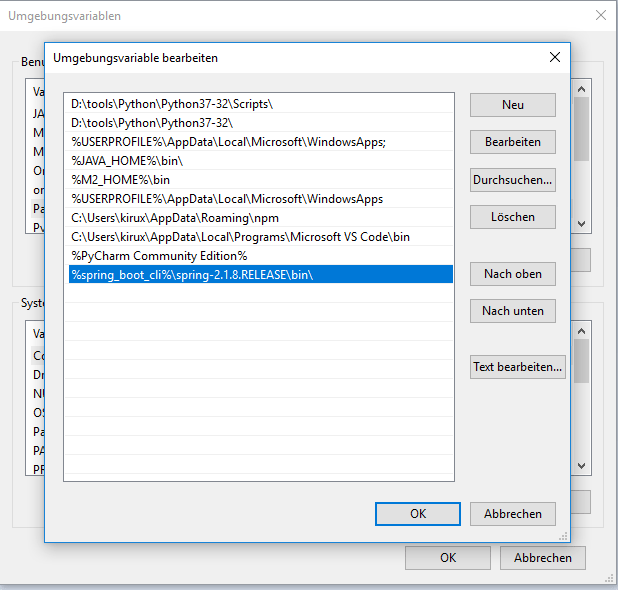
Check the CLI Version
d:\tmp>spring --version
Spring CLI v2.1.8.RELEASE
d:\tmp>
Write the Controller (Business logic)
@RestController
class HelloController {
  @RequestMapping("/")
  String hello() {
    return "Hello World"
  }
}
Run the application
d:\tmp>spring run HelloController.java

The above command achieves at least this tasks:
- Create a project structure with a Maven or Gradle build file + all required dependencies + Compilation + Packaging
- A Spring configuration that enables Spring MVC
- Application Server (Tomcat) + Deploying the application
Calling the application in the browser:

 Ahmed Fikri